

The holiday season is behind us, but the work that came with it often lingers. Whether you produced seasonal brochures, flyers, posters, or large format signage, the end of the year is the perfect time to organize and archive your 2025 print files. A clean, efficient file system doesn’t just reduce digital clutter — it boosts productivity, saves time, protects your assets, and sets you up for a smoother 2026.
At Replica Printing, we’ve worked with businesses of all sizes to help them manage their print production files. From digital proofs to final press files, keeping everything organized can make future print orders faster, more accurate, and less stressful. Below, we explore a practical guide to decluttering and archiving your print files after a busy year of marketing and production.
Why You Need a Post‑Holiday Print File Cleanup
Print projects often involve multiple versions, edits, and draft files. Over time, this can make your digital workspace confusing and hard to navigate. If you leave old files unorganized, you run into common challenges:
- Wasted Time: Searching for the correct print version.
- Version Control Errors: Accidentally using outdated artwork or specifications.
- Lost Assets: Important high‑resolution files buried in old folders.
- Workflow Bottlenecks: Delays when preparing files for re‑prints.
Taking the time to organize your 2025 print files now ensures your team can immediately find what it needs when planning future campaigns, reorders, or refreshes.
Step 1 — Gather All Print Related Files in One Place
Start by collecting all documents related to print projects completed in 2025. These might include:
- Final print ready PDFs
- Original design source files (AI, PSD, INDD)
- Proof versions
- Vendor communications and notes
- Brand guidelines used for each project
Create a central folder on your server, cloud drive, or internal storage labeled something like “2025 Print Projects.” This becomes your master archive for all print materials from the holiday season and earlier campaigns.
Step 2 — Standardize Your Naming Conventions
One of the biggest sources of file chaos is inconsistent naming. Establish a clear naming system that helps your team instantly identify project files. A strong naming convention should include:
- Project Name or Client: e.g., “Holiday_Flyer” or “Promo_Q4_Brochure”
- Date or Version: Use formats like YYYYMMDD or v1, v2
- File Type: Indicate whether it’s a PDF, AI, INDD, or JPG
Example: 2025HolidayFlyer_20251205_Final.pdf clearly tells you what the file is, when it was finalized, and that it’s ready for print. Consistent names reduce confusion and improve searchability.
Step 3 — Create Folder Structures That Make Sense
Folder hierarchy matters. A logical structure helps you locate assets quickly and keeps projects segmented by campaign, medium, or quarter. A basic framework might look like this:
- 2025 Print Projects
- Flyers
- Holiday Promo
- Winter Deals
- Brochures
- Service Catalog
- Posters & Signage
- Storefront Displays
- Flyers
You can use subfolders for proofs, source files, final exports, and notes, which separates work files from client‑ready assets and makes reprinting or redesigning easier in the future.
Step 4 — Archive With Purpose
Once everything is sorted, it’s time to archive. Archiving doesn’t mean deleting — it means storing files in a way that keeps them accessible but out of your everyday workspace. Consider the following:
- Cloud Storage: Google Drive, Dropbox, or Microsoft OneDrive are great for easy access from anywhere.
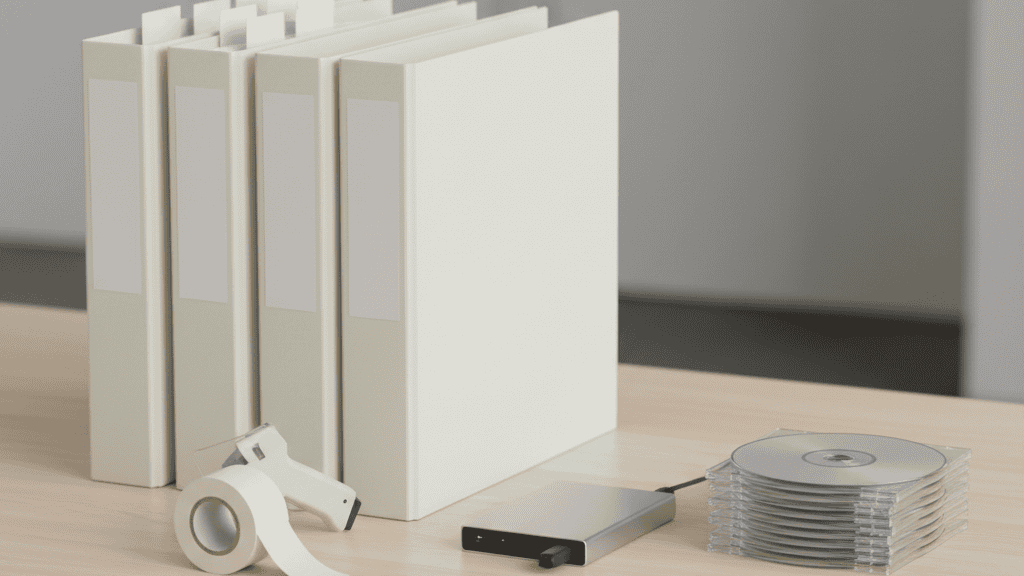
- External Hard Drives: Ideal for large assets or backup copies.
- Version Backups: Keep at least two backup versions — one in the cloud and one offline.
Archiving creates a snapshot of your print assets from 2025 and makes them easy to retrieve for future campaigns.
Step 5 — Document Print Specifications
Good organization goes beyond file naming and folders. Record the print specifications you used for each project:
- Paper stock type and weight
- Color profiles and ink specifications
- Finished size and bleed settings
- Printer or vendor details
These details are invaluable when you reorder prints or need to match existing materials. Including specification sheets saves time and ensures consistency from one print run to the next.
Step 6 — Remove Redundant Files
Before you finalize your archive, look for truly redundant or incomplete files you can safely delete. These include:
- Old proofs that were never used
- Files with obvious errors
- Duplicate versions with no significant differences
Caution: Only remove files you’re certain will never be needed for reference or reuse. If in doubt, move questionable files into a “Review Before Deleting” folder.
Step 7 — Keep Templates Handy
If you have standard design templates for business cards, flyers, or brochures, create a separate folder in your main archive labeled “2025 Templates.” Well‑organized templates accelerate new projects and keep your brand’s visual identity consistent.
Step 8 — Train Your Team on Best Practices
File organization isn’t a one‑time task. Share your updated structure, naming conventions, and archive procedures with your colleagues. A quick reference document or internal guide ensures everyone follows the same system going forward. Consistency across the team prevents confusion and keeps your digital workspace manageable year‑round.
Step 9 — Use a Print Partner That Supports File Management
Working with a reliable print provider like Replica Printing can make your organizational process even smoother. We accept organized, print‑ready files and can help troubleshoot issues before they become costly delays. With services ranging from business cards and flyers to posters and booklets, we make sure your files are ready for any print job you need.
Step 10 — Schedule a Quarterly Clean‑Up
Don’t wait until the end of the year to clean up again. A quarterly review helps you stay on top of new projects, removes clutter throughout the year, and prevents the backlog that can build during peak seasons. Set a recurring reminder to revisit your system and keep it optimized.
Benefits of an Organized Print File Archive
When you invest time in organizing and archiving your files, you’ll enjoy real benefits:
- Faster turnaround on reorders and updates
- More accurate version control
- Reduced time spent searching for assets
- Fewer production errors
- A stronger foundation for future campaigns
Contact Us to Streamline Your Print Process
Ready to get your print projects in order for 2026? Contact us today for expert printing support, file review guidance, and high‑quality production on business cards, brochures, flyers, posters, and more. At Replica Printing, we make print simple so you can focus on your creative and strategic goals.