
How to Design a Postcard That Gets Read: 9-Step Guide
Outcome: Follow this guide to design a postcard that survives the mailbox test and drives measurable replies within 2–4 hours of design work. Skill level: Beginner to intermediate. Timeframe: One afternoon for design, plus 5–7 business days for printing and mailing through USPS.
According to the Data & Marketing Association (2023), direct mail marketing generates a 4.4% average response rate compared to 0.12% for email — but only when postcard design follows proven visual and copywriting rules. This tutorial breaks down exactly how to design a postcard people will actually read, step by step.
Before You Begin: Prerequisites Checklist

- A defined target audience (demographics, location, buying behavior)
- A single, clear campaign offer or call to action
- Access to graphic design software (Canva, Adobe InDesign, or a postcard template)
- A clean, permission-based mailing list for mail merge personalization
- Basic brand identity assets: logo, brand colors, fonts
- A printing partner familiar with USPS postcard size standards
Step 1: Define Your Target Audience and Postcard Marketing Strategy

Identify who will open your mailbox and read your postcard before you design anything.
Sub-steps
- Segment your mailing list by geography, purchase history, or homeownership status.
- Write one sentence describing your target audience’s biggest pain point.
- Choose one postcard marketing strategy goal: awareness, lead generation, or event promotion.
Postcard advertising works best when the offer matches the recipient’s stage in the buying cycle. A direct mail marketing agency can supply purchased or verified lists if you lack an internal mailing list.
Step 2: Choose Postcard Size Standards, Cardstock, and USPS Rules
Select a size and stock that meets USPS regulations and signals quality on contact.
Sub-steps
- Pick a USPS-approved postcard size: 4×6 inches, 5×7 inches, or 6×9 inches for larger bulk mail postcards.
- Choose cardstock weight between 12pt and 16pt for a premium feel that resists bending in transit.
- Confirm postcard size and format against USPS First-Class Mail dimensional requirements before final printing.
Heavier cardstock, produced via offset printing for runs over 5,000 pieces, improves perceived brand identity and readability compared to standard copy paper.
Step 3: Build Visual Hierarchy With Typography and White Space
Guide the reader’s eye in under 3 seconds using visual hierarchy, typography, and white space.
Sub-steps
- Use one bold sans-serif font for headlines (24–36pt) and one legible serif or sans-serif font for body copy (10–12pt).
- Limit total fonts to two per side to protect postcard readability.
- Reserve at least 30% of the layout as white space so elements don’t compete visually.
Poor postcard font choices and cramped layouts are among the most common postcard design mistakes small businesses make. This step alone separates an eye-catching postcard from one that gets discarded.
Step 4: Apply Color Psychology to Your Postcard Color Scheme
Color psychology influences emotional response before a single word is read.
Sub-steps
- Use red or orange accents to create urgency around limited-time offers.
- Use blue or green tones to build trust for financial, medical, or real estate postcard design ideas.
- Limit your postcard color scheme to two primary colors plus one accent, matching existing brand identity.
Contrast between background and text is non-negotiable — low-contrast combinations are a leading cause of poor postcard visual design performance.
Step 5: Write a Postcard Headline and Copywriting That Convert
Your postcard headline has roughly 3 seconds to earn a second glance.
Sub-steps
- Lead with the benefit, not the company name: “Save 20% This Week” outperforms “ABC Company Newsletter.”
- Keep headline copy under 8 words for scannability.
- Apply postcard copywriting tips: one idea per sentence, active voice, and a specific number or date.
These postcard headline ideas apply across industries, including postcard design ideas for real estate marketing, where property price or open-house date should appear in the first line.
Step 6: Craft a Call to Action That Gets a Response
A single, unmistakable call to action determines whether your postcard converts.
Sub-steps
- Use action verbs: “Call Now,” “Visit Today,” “Scan to Redeem.”
- Include one deadline or expiration date to drive urgency.
- Repeat the offer and call to action on both the front and back for postcard front and back design consistency.
Examples of a strong postcard call to action: “Scan the QR code below for 15% off before June 30” — this pairs copy with a trackable mechanism, which is critical for response rate tracking.
Step 7: Design the Layout Using Graphic Design Software
Turn your content plan into a finished mailer using postcard design software built for non-designers or professionals.
Sub-steps
- Start with a postcard template in Canva for quick, brand-consistent layouts.
- Use Adobe InDesign for advanced control over bleed, print marks, and CMYK color accuracy.
- Align all postcard design elements — logo, headline, image, call to action — along a consistent grid.
If your team lacks design bandwidth, working with a specialist for effective postcard design ensures print-ready files meet postcard printing tips and USPS mailing service specifications from the first draft.
Step 8: Add a QR Code and Prepare Mail Merge Personalization
Personalization and trackable technology boost engagement beyond static print.
Sub-steps
- Generate a unique QR code linking to a dedicated landing page for each campaign.
- Use mail merge to insert recipient names or localized offers pulled from your mailing list.
- Test the QR code on multiple devices before sending files to the printing press.
Personalized mail marketing campaigns using mail merge routinely see a higher direct mail conversion rate than generic, one-size-fits-all mailers.
Step 9: Print, Mail, and Track Response Rate
Finalize production and measure real-world performance after your postcard reaches mailboxes.
Sub-steps
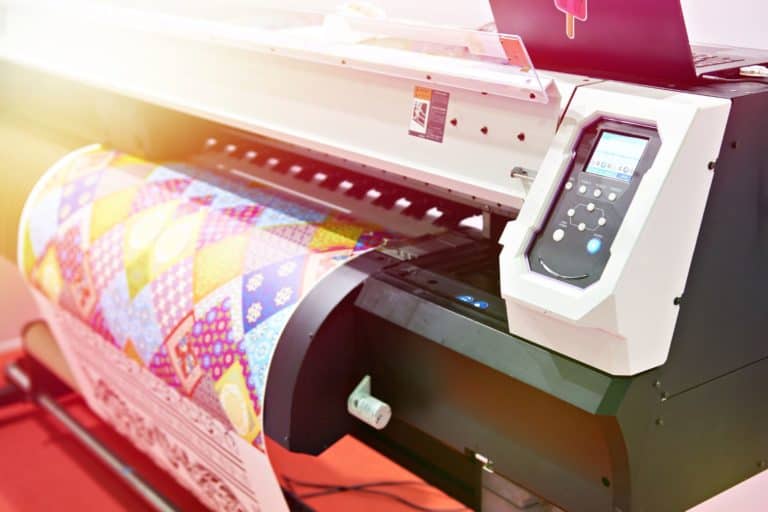
- Choose offset printing for orders above 5,000 units or digital printing for smaller, faster runs.
- Coordinate with a postcard mailing service to schedule USPS drop dates.
- Set up response rate tracking through QR scans, promo codes, or a dedicated phone line.
Postcard marketing ROI depends on this final step — without tracking, you cannot verify whether your postcard design tips translated into actual leads or sales.
Troubleshooting: Common Postcard Design Mistakes
- If your response rate is below industry average → revisit your call to action and confirm it appears above the fold on both sides.
- If recipients report the text is hard to read → increase font size to at least 12pt and boost color contrast.
- If your postcard looks cluttered → remove one visual element and increase white space by 10–15%.
- If QR code scans are low → enlarge the code to at least 1 x 1 inch and add a short instruction line like “Scan for Offer.”
- If printing costs exceed budget → switch from offset printing to digital printing for orders under 2,500 pieces.
- If your mailing list bounces or underperforms → refresh the list quarterly and verify addresses against USPS databases.
Next Steps
Once your first postcard campaign mails, request print samples for future runs, A/B test two headline variations, and compare response rate tracking data across formats. For best postcard design practices for marketing at scale, consider a testing calendar: one variable (headline, color, or offer) changed per quarter. Businesses following direct mail best practices consistently see stronger postcard marketing ROI within two to three mailing cycles.