What Is the Difference Between CMYK and RGB? A Complete Guide to Print and Digital Color Modes
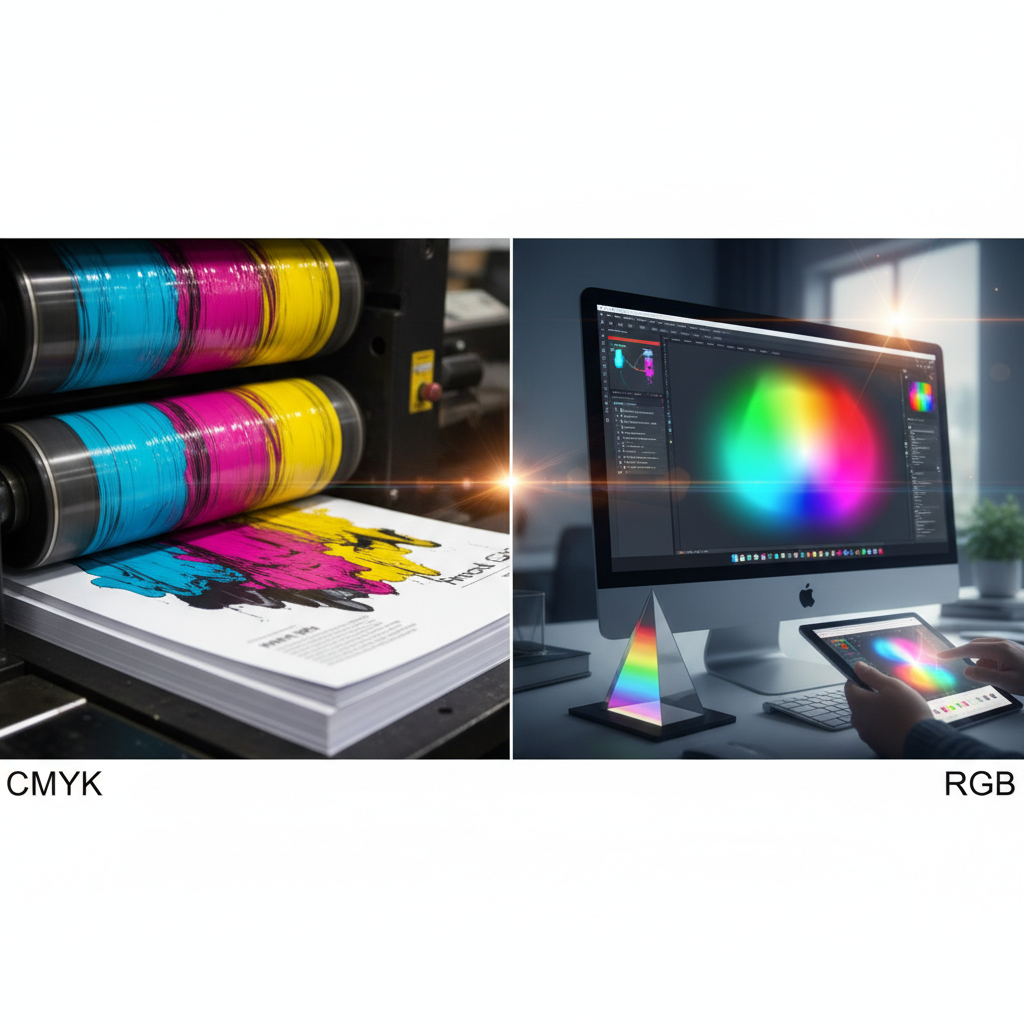
CMYK is a subtractive color model using Cyan, Magenta, Yellow, and Black inks for print reproduction, while RGB is an additive color model using Red, Green, and Blue light for digital displays. The fundamental difference between these color systems determines how colors appear in print media versus screen display, making color mode selection critical for achieving accurate color output in any design workflow.
Why the CMYK vs. RGB Difference Matters for Print and Digital Design

Understanding the difference between CMYK and RGB color modes directly impacts print quality, visual consistency, and color fidelity across different media. According to industry standards established by the printing industry as of 2025, using the appropriate color mode prevents costly color mismatch issues, reduces production delays at the print shop, and ensures color consistency between what designers create and what clients receive.
The color gamut difference between these two color spaces means that not all RGB colors can be accurately reproduced in CMYK. This color translation limitation affects graphic designers, print designers, and web designers who work across both digital and print platforms. Professional design workflows require understanding when to use CMYK vs. RGB to maintain color precision and avoid color discrepancy between monitor and printed output.
Key Characteristics of CMYK and RGB Color Systems
CMYK: Subtractive Color Mixing for Print Media
CMYK stands for Cyan, Magenta, Yellow, and Black (K represents “key” plate in the four-color process). This subtractive color model works by absorbing light wavelengths through ink-based color application. The CMYK color mode operates through these defining characteristics:
- Process color printing: Commercial printing presses use the four-color printing method, layering halftone dots of each CMYK ink to create full color printing results
- Smaller color gamut: CMYK has a more limited color space compared to RGB, particularly struggling with bright, saturated colors like vibrant blues and greens
- Print-specific application: Offset printing, digital printing, and all process printing methods rely on CMYK for color representation
- Light absorption: Each ink layer absorbs specific light wavelengths, with colors appearing darker as more inks combine (unlike additive color systems)
- Paper dependency: CMYK color appearance varies based on paper type, coating, and whiteness, affecting final reproduction quality
RGB: Additive Color Mixing for Digital Displays
RGB represents Red, Green, and Blue light channels used in digital imaging and screen display technology. This additive color model creates colors by combining light-based color emissions. RGB color characteristics include:
- Light emission: Digital displays, monitors, and screens emit red, green, and blue light at varying intensities to produce the full visible spectrum
- Wider gamut: RGB can display significantly more colors than CMYK, including highly saturated, luminous colors impossible to achieve with printing inks
- Digital-native format: Web graphics, digital design, and all screen-based media use RGB as the standard color mode
- Additive mixing: Colors become brighter as RGB values increase, with all three channels at maximum producing white light
- Device variation: RGB appearance differs between displays depending on color calibration, monitor quality, and color profile settings
How CMYK and RGB Color Systems Work
The CMYK Printing Process Step-by-Step
Understanding how CMYK color mixing works helps designers prepare artwork for CMYK printing and avoid color problems when printing:
- Color separation: Design software like Adobe Photoshop, Adobe Illustrator, or Adobe InDesign separates artwork into four color channels (Cyan, Magenta, Yellow, Black)
- Halftone conversion: Each color channel converts to halftone dot patterns at specific screen angles to prevent moiré interference
- Plate creation: Printing presses create four physical plates (one per color) or digital printing systems prepare four digital channels
- Sequential ink application: The printing press applies each CMYK ink in precise registration, with dot patterns combining optically to create perceived colors
- Color mixing: Tiny dots of cyan, magenta, yellow, and black inks overlap, with paper showing through unprinted areas to lighten colors
The RGB Display Process Explained
How screens display RGB colors involves electronic light emission rather than physical ink:
- Pixel composition: Each pixel contains red, green, and blue sub-pixels (LED, LCD, or OLED emitters)
- Intensity control: Digital signals control each sub-pixel’s brightness from 0-255 (in 8-bit color), creating 16.7 million possible color combinations
- Light blending: Human eyes blend the three colored lights from each pixel into a single perceived color
- Color management: ICC profiles and color calibration systems ensure consistent RGB display across different monitor types
- Hexadecimal encoding: Web color standards represent RGB values as hexadecimal color codes (e.g., #FF0000 for pure red)
Common Misconceptions About CMYK and RGB Color Modes
Myth vs. Reality: CMYK and RGB Color Confusion
Myth: You should always design in CMYK for print projects from the start.
Reality: Many graphic designers work in RGB during creative phases (for wider color gamut and better editing tools), then convert to CMYK during file preparation for commercial printing. Adobe Creative Suite applications handle RGB to CMYK conversion effectively when using proper color management workflows.
Myth: Converting from CMYK to RGB and back preserves all colors.
Reality: Each RGB to CMYK conversion causes permanent color shift in print. Colors outside the CMYK gamut get remapped to the nearest printable color, a process that cannot be reversed. Maintaining original RGB files prevents cumulative color loss from multiple conversions.
Myth: All printers automatically convert RGB files to CMYK correctly.
Reality: While modern printing presses can convert RGB files, uncontrolled conversions often produce unexpected color results. Professional print designers convert files using calibrated color profiles before sending to the printing press, ensuring predictable color output.
Myth: CMYK always looks duller than RGB because it’s inferior.
Reality: CMYK has a different, smaller gamut than RGB, but properly prepared CMYK files achieve excellent print color accuracy within their color space. Why prints look duller than screen colors relates to the fundamental difference between additive and subtractive color—light emission versus light absorption. Spot color and Pantone systems supplement CMYK when specific color matching requirements exceed process color capabilities.
Myth: You don’t need to convert to CMYK before printing if your printer accepts RGB.
Reality: Even when a print shop accepts RGB files, understanding what happens when you print RGB files matters. Different printers use varying conversion algorithms, potentially causing color discrepancy between print runs or vendors. Converting to CMYK with a specific ICC profile provides consistent, predictable results.
CMYK vs. RGB: Direct Comparison
| Characteristic | CMYK (Print) | RGB (Digital) |
|---|---|---|
| Color Model Type | Subtractive (ink-based color) | Additive (light-based color) |
| Primary Components | Cyan, Magenta, Yellow, Black | Red, Green, Blue |
| Color Gamut Size | Smaller (fewer possible colors) | Larger (more possible colors) |
| Best Use Case | Print media, offset printing, printed materials | Digital displays, web graphics, screen viewing |
| How Colors Combine | Inks absorb light; more ink = darker | Light adds together; more light = brighter |
| Maximum Values | 100% of each color (0-100 scale) | 255 of each channel (0-255 scale) |
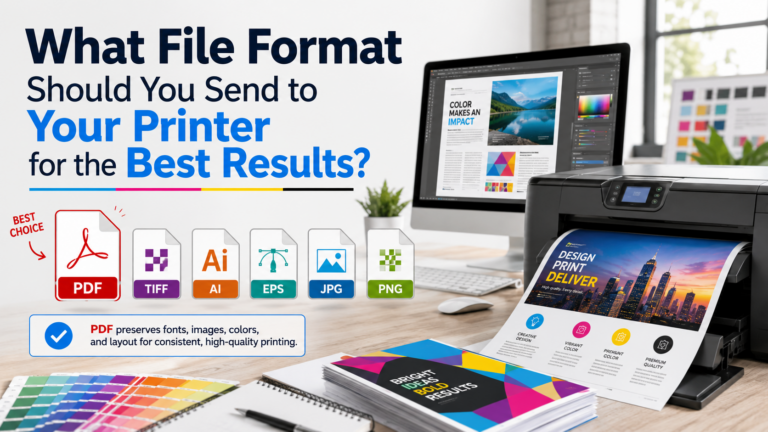
| File Formats | PDF, TIFF, EPS (print-ready files) | JPG, PNG, web formats |
| Industry Applications | Printing industry, graphic arts, prepress | Web design, digital imaging, screen media |
| Color Representation | Process color percentages | Hexadecimal color, RGB values |
Practical Applications: When to Use CMYK vs. RGB
Choosing Color Mode for Print Projects
Use the CMYK color mode for professional printing projects when preparing files for commercial printing services and any physical print requirements:
- Business materials: Brochures, business cards, letterhead, and corporate stationery
- Marketing collateral: Posters, flyers, direct mail pieces, and print advertising
- Publications: Magazines, newspapers, books, and catalogs using the four-color process
- Packaging: Product boxes, labels, and packaging design for offset printing or digital printing production
- Large format: Banners, signage, and trade show graphics prepared for specific printer specifications
Appropriate Color Mode for Digital Applications
RGB color mode serves all screen-based and digital design projects:
- Websites and web applications: All online content viewed on digital displays requires RGB
- Social media graphics: Images for Facebook, Instagram, LinkedIn, and other digital platforms
- Digital presentations: PowerPoint slides, Keynote decks, and screen presentations
- Video and animation: Motion graphics, video content, and digital animations
- Email marketing: Newsletter graphics and email campaign imagery
- App interfaces: Mobile and desktop application design
Best Practices for Color Mode Selection and File Preparation
Setting Up Files for Commercial Printing
Follow these design standards to ensure proper color mode for print specifications:
- Start with color space planning: Determine final output medium before beginning design work
- Use proper color profiles: Apply appropriate ICC profiles for specific printing methods and paper stocks
- Convert intentionally: Perform RGB to CMYK conversion in design software rather than relying on printer conversions
- Check image quality: Ensure resolution meets print specifications (300 DPI minimum for most printing technology)
- Soft-proof before printing: Use Adobe software’s proof setup to preview CMYK appearance on screen
- Communicate with print vendors: Confirm color workflow requirements, preferred file formats (PostScript, PDF), and color matching expectations
Maintaining Color Consistency Across Print and Web
Designers working across both digital and print platforms should implement these color application strategies:
- Maintain separate files: Keep native RGB versions for web and converted CMYK versions for print to avoid cumulative color shift
- Set realistic expectations: Educate clients about inherent color difference between screen color and printed color
- Use color management systems: Calibrate monitors and use consistent color profiles throughout the design process
- Test print critical projects: Request proof prints for important work to verify color accuracy before full production runs
- Document color standards: Record specific Pantone colors, CMYK formulas, or RGB values for brand color consistency
Avoiding Common Color Mode Errors in Print Design
Prevent these frequent mistakes when choosing between CMYK and RGB:
- Never embed RGB images in CMYK documents: Convert all placed images to CMYK to prevent unexpected color translation during printing
- Don’t ignore out-of-gamut warnings: Address gamut warnings in Adobe InDesign and other design software before finalizing print-ready files
- Avoid using screen colors as print references: Colors on uncalibrated monitors misrepresent how inks will appear on paper
- Don’t skip prepress verification: Review final PDFs for color mode consistency before sending to the printing press
- Never assume automatic conversion quality: Automated RGB to CMYK conversion lacks the nuance of manual color adjustments by experienced print designers
Understanding Color Space Conversion and Color Management
Color space conversion between RGB and CMYK involves sophisticated color science and printing technology. The conversion process maps colors from RGB’s larger gamut into CMYK’s more limited color space, requiring color precision algorithms to determine the nearest printable equivalent for out-of-gamut colors.
Professional color management employs ICC profiles—standardized data sets defining how specific devices (monitors, printers, scanners) interpret color values. These profiles ensure color fidelity across the design process, from initial visual design through final reproduction quality. According to color workflow best practices established by the graphic arts industry, using device-specific profiles dramatically improves color matching accuracy compared to generic color conversions.
Advanced users may employ spot color systems like Pantone for colors requiring absolute color consistency beyond what process printing achieves. Spot colors use premixed inks rather than CMYK combinations, offering more vibrant options and exact color matching for brand identity applications.